


Dojo Islands
3.88.00 Reviews
App Specs
- Version
- 1.8.0
- Updated On
- License
- Free
- Downloads
- 10,000+
- Developer
- ClassDojo
- Categories
- Educational
- Platform
- Android
Screenshots





 Analysis by AppCompare
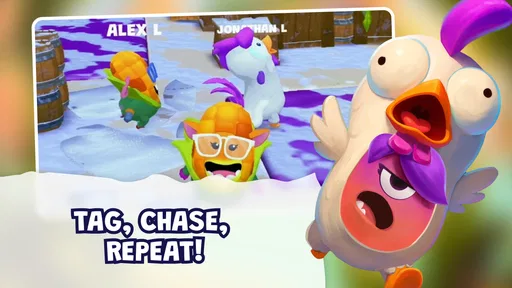
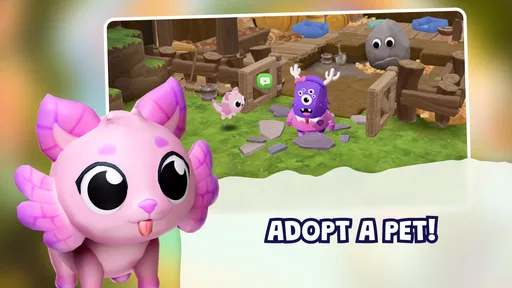
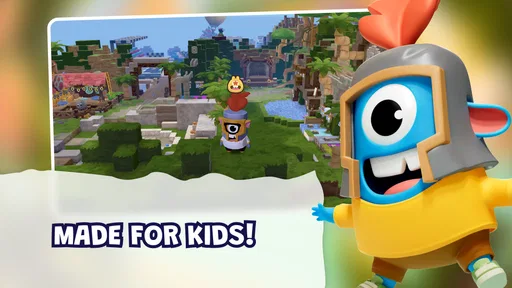
I approached Dojo Islands as a parent-friendly educational game rather than as another quick distraction for children. Its central idea is appealing: children enter a shared virtual space where they can create, build, and play together. That gives it a different feel from a worksheet app or a simple quiz game. Instead of asking a child to complete isolated exercises, it places learning inside an imaginative environment.
The game comes from ClassDojo, a developer already associated with school and family communication tools. That background matters because the product is clearly aimed at children, parents, and educators who care about a safer digital setting. It is free to start, rated for Everyone, and currently available in version 1.8.0 for devices running Android 7.0 or later. There are also optional purchases priced from $3.99 to $59.99 per item, so I would make the payment model part of the decision before handing the device to a child.
How to decide whether Dojo Islands fits your child
I’d use this section to decide what you want the game to contribute at home: relaxed creative time, a prompt for conversation, or practice with a specific school skill. Those goals lead to different choices, so I’d judge the fit by watching how your child handles open-ended play and whether they can enjoy it without constant direction. That distinction also helps set realistic expectations for its value over time.
Start with the type of play your child actually enjoys
The most important question is not whether the game looks colorful or whether it carries an educational label. It is whether your child enjoys open-ended creation and shared play. Dojo Islands is best suited to a child who likes making choices, arranging a personal space, exploring a virtual setting, and returning to an activity without needing a fixed score-based objective every minute.
If your child prefers clear answers, short challenges, spelling practice, arithmetic drills, or tightly structured lessons, a dedicated learning app may be a better match. This game appears to use play and creation as its main route into engagement. That can make learning feel less like homework, but it also means a child who needs constant direction may not get as much from it.
I would also consider the child’s social comfort. The promise of playing together is central to the experience, so it makes more sense for children who enjoy sharing a digital environment with others. A child who mainly wants a quiet solo puzzle may find the social angle less important than the building and exploration elements.
Think about supervision, not just the age label
The Everyone rating makes the game broadly suitable for children, but an age label should not replace a parent’s judgment. Younger children may need help understanding what they can do, where to go, and when to stop. They may also need an adult nearby when making choices connected with optional purchases.
Worth Reading Before You Choose

Switching to Android Auto Means Rethinking Your Driving Routine

Google Calendar Makes a Crowded Week Easier to Manage

Baby Panda World Brings Quick Play to Modern Phones, but Its Game Library Feels Busy

ESPN’s Live Game View Makes Following Close Games Easier

QuizzLand Review: A Good Fit for Short Trivia Breaks, Not Every Player

Basketball Stars: Multiplayer Is Fast, but Can It Recover When Matches Go Wrong?
My practical advice is to begin with a short shared session. Watch whether the child understands the interface naturally, whether the creative tools hold attention, and whether the social setting feels comfortable. That first session tells you more than the category name alone. If the child immediately starts experimenting and explaining what they are making, the game is probably aligned with their interests. If they repeatedly ask what the correct action is, a more guided app may be preferable.
Use the device requirements as a basic filter
Dojo Islands supports Android 7.0 and newer, which covers a wide range of older and current Android devices. That is useful for families using an older tablet, although the operating-system requirement is only the starting point. The actual experience can still depend on the device’s performance, available storage, screen size, and connection quality.
For a younger child, a larger screen is generally easier for creative interaction than a small phone. A tablet also makes it more practical for an adult and child to look at the same activity together. I would avoid judging the game after a rushed test on a crowded or aging device; if movement feels slow or controls feel cramped, the problem may be the hardware rather than the concept.
What the current audience signal suggests
The game has an average rating of 3.7 from 72 ratings, with 8 written reviews, and has passed 10 thousand installs. I read that as a modest but useful signal rather than a final verdict. There is enough activity to show that families are trying it, but not enough public feedback to assume that every child will have the same experience.
That makes a trial approach sensible. Since the starting price is free, you can evaluate the basic experience before deciding whether it deserves a regular place in your child’s routine. The important test is not simply whether the child asks to open it again. Ask what they did, what they created, and whether the activity led to conversation or independent problem-solving.
Where the game wins over conventional educational apps
The strongest advantage is the way it gives educational play a sense of place. A traditional quiz app usually presents a question, waits for an answer, and moves to the next item. Dojo Islands instead gives children a virtual world to inhabit. That difference can be valuable for children who resist anything that looks like formal study.
Creation also changes the parent’s role. Rather than checking a string of correct responses, I can ask a child to show me what they built and explain why they chose it. That creates a more natural opening for questions about planning, choices, cooperation, and persistence. The learning value is not limited to a visible score; it can appear in how the child approaches a task.
The shared setting is another clear strength. Many educational games are designed for one child and one screen, while this concept is more naturally suited to conversation. Two children may enjoy comparing what they have made, and an adult can participate as an interested observer without turning the session into a lesson.
A useful everyday scenario
Imagine a child has finished school but still needs a calm activity before dinner. Instead of opening a fast arcade game, you let the child spend a short period in Dojo Islands. The child builds or changes something, then explains the result while you prepare food. You can ask what they would improve, how they decided where something should go, or what they would create next.
That routine works because it adds a small conversation to screen time. The game does not need to carry the entire educational burden by itself. Its best role may be as a starting point for imagination and discussion, especially when an adult shows genuine interest instead of treating the app as an electronic babysitter.
Three ways to get more value from the creative format
First, give the child a clear but open prompt before playing. “Make a place where a character would feel welcome” is more useful than simply saying “go play,” because it encourages planning without removing freedom. Afterward, ask the child to describe the decisions behind the result. This turns passive exploration into a small design exercise.
Second, use the game as a comparison activity between sessions. Ask the child to remember one thing they changed and one thing they would change next time. The point is not to judge the creation. It is to help the child notice iteration, which is one of the most valuable habits encouraged by building activities.
Third, separate creative time from purchase decisions. If optional items appear during play, agree beforehand that the child will ask an adult rather than tapping immediately. This simple rule protects the free starting experience from becoming an unplanned spending session and also gives the child practice in making deliberate choices.
Where the usual alternatives may fit better
Dojo Islands is not automatically the best educational choice. A structured mathematics app is likely better for a child who needs repeated practice with specific skills. A reading-focused application may offer more direct support for phonics, vocabulary, or comprehension. A conventional construction game may be preferable for an older child who wants deeper building systems rather than an explicitly child-oriented environment.
There is also a difference between shared play and direct collaboration. A game can offer a social virtual world without replacing real-time interaction with a parent, sibling, or classmate. If your main goal is face-to-face cooperation, a board game, craft activity, or shared building project may produce richer communication with less screen time.
Families who want a completely predictable sequence may prefer an app with levels and clearly defined completion points. Open-ended worlds can be motivating, but they can also feel vague. Some children enjoy having room to wander; others interpret a lack of obvious goals as a lack of things to do.
Limitations I noticed in the decision
The broad concept is also the main source of uncertainty. “Create, build, and play together” sounds inviting, but it does not tell every child what to do next. Parents may need to provide prompts, especially during the first few sessions. That is not necessarily a flaw, but it means the game works better as a guided creative tool than as a fully self-explanatory lesson.
The rating of 3.7 also encourages realistic expectations. I would not install it assuming universal polish or a perfect fit for every age within the Everyone range. Children develop quickly, and a game that feels engaging to one child may seem too simple or too unstructured to another.
The purchase range deserves attention as well. Free entry lowers the barrier to testing the game, but optional items can change how a child experiences the virtual world. I recommend checking the device’s purchase protections and explaining the household rule before the first session. That is especially important when a child is playing independently.
What switching from another app really involves
Moving from a quiz app to Dojo Islands is not just replacing one icon with another. You are changing the child’s expected behavior. In a quiz app, progress is usually visible through answers, levels, or completed tasks. Here, progress may be expressed through experimentation, construction, and conversation. A child accustomed to immediate rewards may need time to appreciate that difference.
The transition is easiest when you connect the two formats. After a short lesson, invite the child to use the creative world as a place to demonstrate an idea. For example, they might design a setting and explain its purpose, rather than moving directly from study to unstructured screen time. This makes the new game feel like an extension of learning instead of a competing habit.
Switching away from a social game can require a different adjustment. If the child is used to constant competition, Dojo Islands may feel slower. If the child is used to playing alone, the shared-world concept may require a conversation about respectful participation and taking turns. In both cases, a gradual introduction is more sensible than presenting the game as an instant replacement.
Who should install it, and who should skip it
I would recommend Dojo Islands to families looking for a child-friendly creative game that can support imagination and conversation. It is especially promising for children who enjoy making things, explaining their choices, and exploring at their own pace. It also suits parents who want to participate occasionally rather than supervise every tap as if the child were completing a test.
I would be more cautious if your priority is measurable academic practice. The game should not be treated as a substitute for a specialized reading, mathematics, or language-learning tool. I would also skip it for a child who becomes frustrated without explicit goals, or for a family that does not want to monitor optional purchases.
Older children seeking complex systems may outgrow the experience sooner than younger users, depending on what they expect from a building game. Conversely, very young children may need an adult to help them navigate and interpret the activity. The best fit is likely a child in the middle: independent enough to explore, but still enthusiastic about showing an adult what they have made.
My recommendation after weighing the trade-offs
My overall view is positive but measured. Dojo Islands is worth trying when creative, shared play matters more to you than formal lesson tracking. Its free entry makes that experiment relatively easy, while the Everyone rating and Android 7.0 minimum make it accessible to many families using older devices.
I would install it with a simple plan: test the basic experience, play alongside the child once, set a clear purchase rule, and judge the game by the quality of the child’s engagement rather than by screen time alone. Look for signs of planning, explanation, persistence, and cooperative conversation. Those are the areas where this type of game can offer more than a repetitive quiz.
At the same time, I would keep another educational app available if your child needs direct skill practice. Dojo Islands works best as a creative layer in a balanced routine, not as the only learning resource. ClassDojo has made a game aimed at turning a virtual world into a place for children to express ideas and play together. For the right child, that is a genuinely useful change from answer-and-reward apps. For a child who needs firm structure, a more focused alternative will probably be the wiser choice.
Pros
- Relaxing island setting with a friendly
- low-pressure atmosphere.
- Simple controls make it approachable for younger and casual players.
- Exploration encourages curiosity through varied island areas.
- Short activities are convenient for quick gaming sessions.
- Colorful visuals create a cheerful and inviting presentation.
Cons
- Progress may feel slow for players seeking constant action.
- Some activities can become repetitive after extended play.
- Certain features may require an internet connection to access.
- The game may use noticeable storage on older devices.
- Limited challenge could disappoint experienced or competitive players.
FAQs for Dojo Islands
What is Dojo Islands?
Dojo Islands is a mobile game built around island exploration, dojo-style training, challenges, and competitive progression. Players can usually expect a combination of adventure, character development, collectible content, and battles or activities that reward regular play. The exact experience may vary depending on updates, available events, and the device or platform used.
Is Dojo Islands free to download and play?
Dojo Islands can generally be downloaded without an upfront purchase, but players should check the store listing for the current pricing details in their region. Like many mobile games, it may include optional in-app purchases for items, upgrades, cosmetics, or other advantages. Parents should review purchase settings, especially if children will be using the app.
Does Dojo Islands require an internet connection?
An internet connection may be necessary for important features such as account synchronization, online competitions, multiplayer interactions, event participation, advertisements, and downloading updated content. Some basic sections could work temporarily offline, but the complete experience is likely designed for connected play. For the most reliable performance, use a stable Wi-Fi or mobile-data connection.
Is Dojo Islands suitable for children?
The game may be appropriate for younger players depending on its official age rating, communication features, advertising, and purchase options. Before installing it for a child, adults should review the store description and privacy information, then enable parental controls where needed. If the game includes online interaction, supervision is recommended because player-generated content and contact features can change the experience.
What devices are compatible with Dojo Islands?
Compatibility depends on the version published for Android or iOS, as well as the operating system requirements listed in the relevant app store. Before downloading, check the supported OS version, required storage space, and whether your device meets the developer’s recommendations. Older phones or tablets may install the game but experience slower loading, reduced graphics quality, or occasional performance issues.


